Xerox Workflow Central
Solutions
Reduce manual document processing with secure, cloud-based workflow automation.
Common Document Challenges
Why Organisations Use
Xerox Workflow Central
Many organisations still spend too much time manually preparing documents for everyday use.
Organisations typically need to:
 Turn scanned documents into usable formats
 Share content across teams in different locations
 Remove sensitive information before distribution
 Extract key information quickly from longer documents
 Reduce repetitive manual document tasks
Xerox Workflow Central helps automate these task, reducing manual effort and improving consistency across the organisation.
Xerox Workflow Central Overview
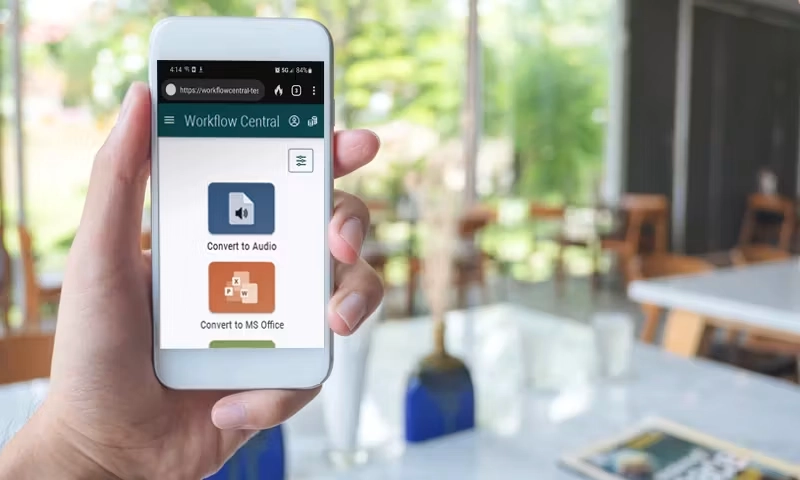
Workflow Examples
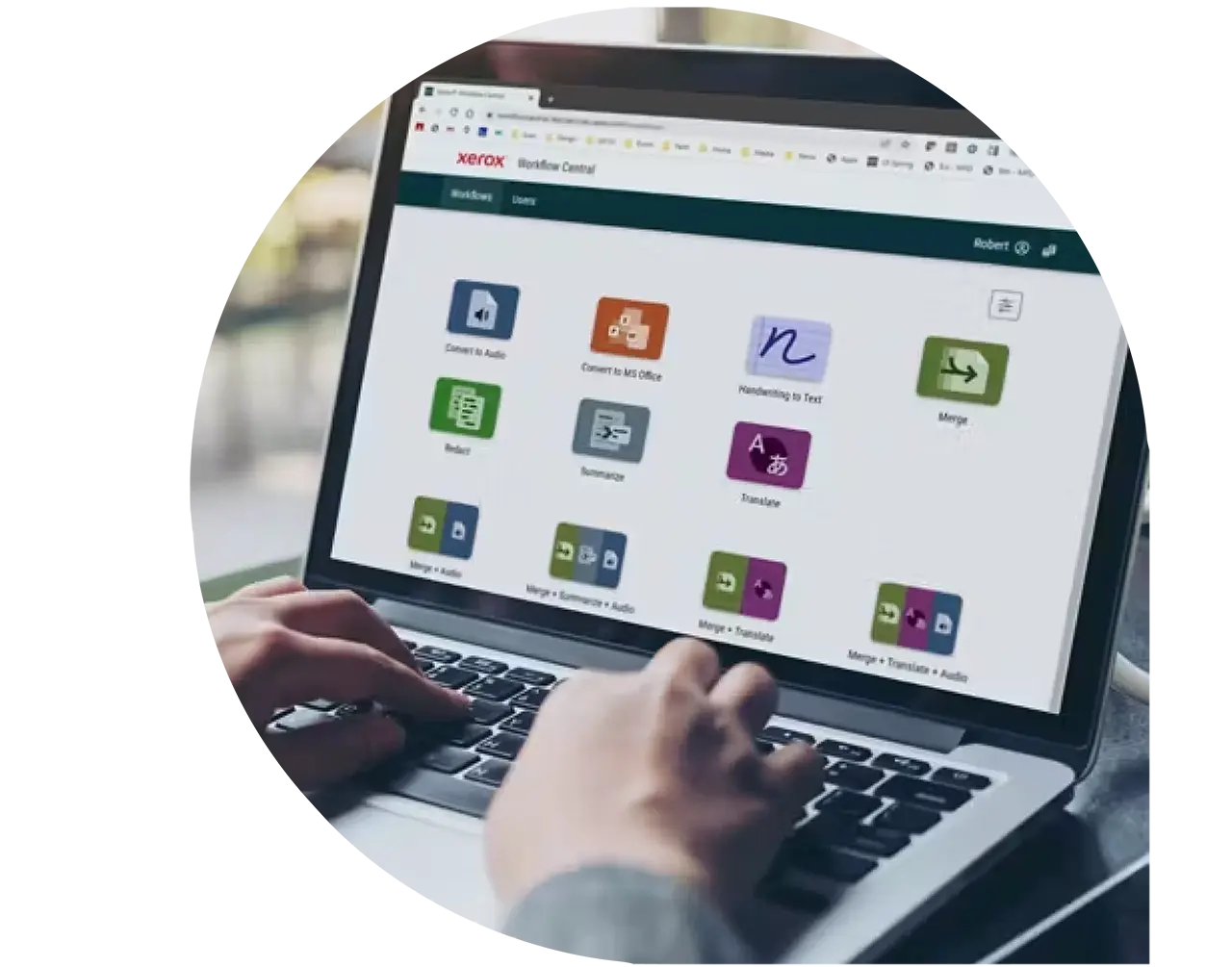
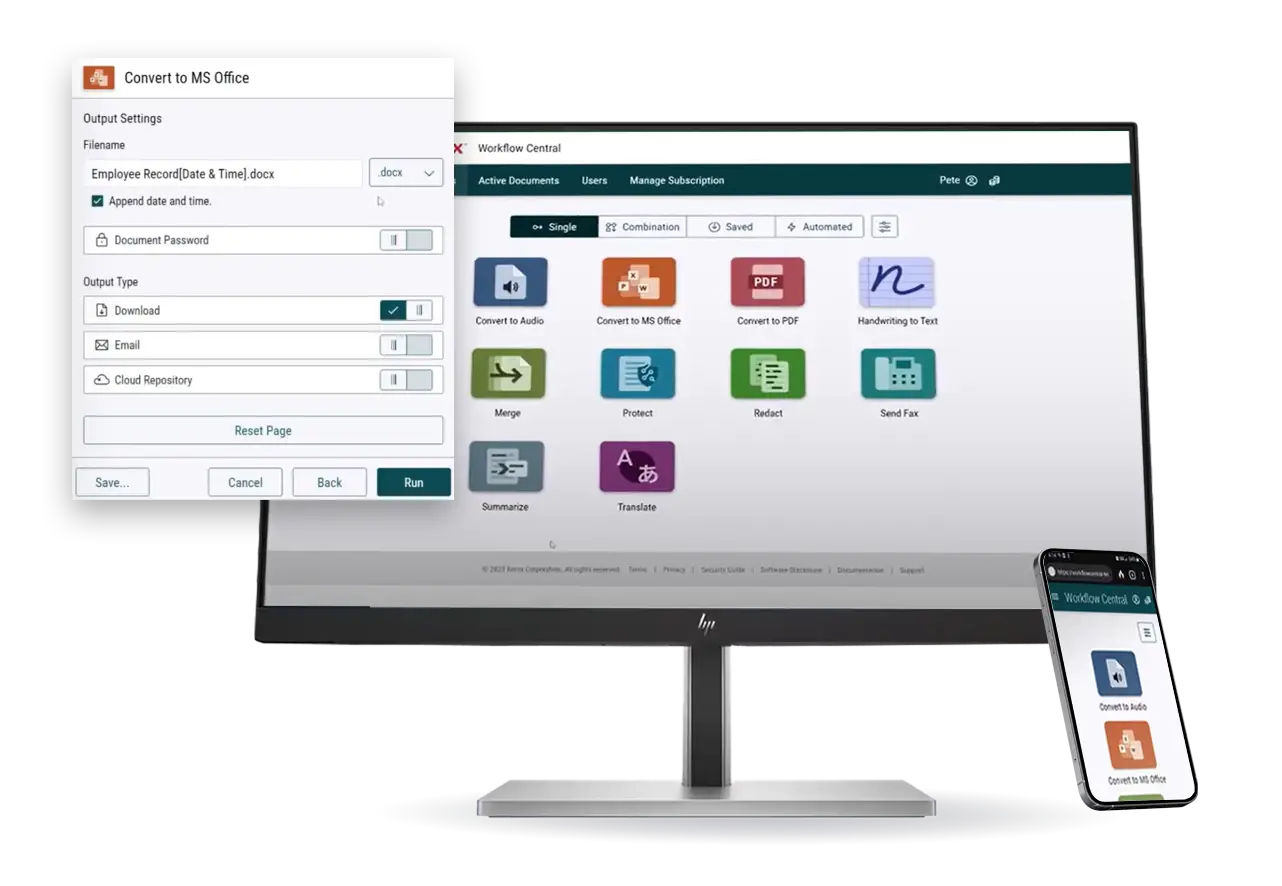
These are just some of the workflows available in Xerox Workflow Central. Each can be used independently or combined into a single automated process, allowing you to complete multiple document tasks in one seamless workflow and reduce manual effort.
Convert to Editable Format
Turn scanned documents into editable documents

Translate Documents
Translate content into multiple languages
Redact Sensitive Information
Remove confidential information automatically.
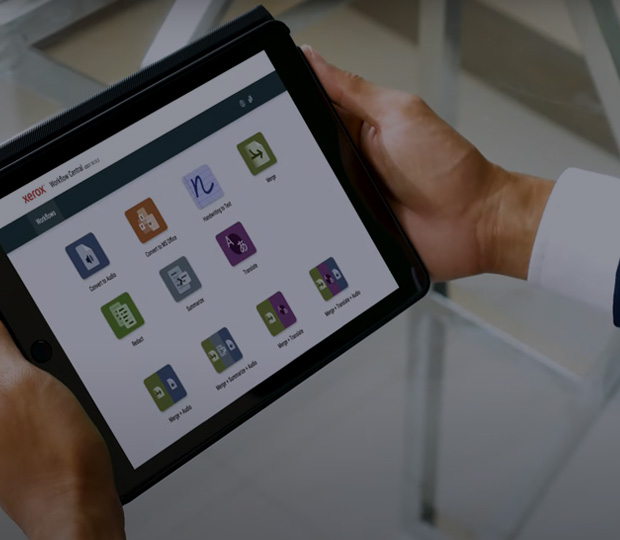
Summarise Documents
Create concise document summaries instantly.

Convert to Audio
Convert documents into audio files.

Merge Documents
Combine multiple files into one document.

Andy Quy, IT Solutions Consultant, Xeretec
“Where Workflow Central becomes really powerful is when organisations start combining workflows. For example, a document can be translated for a global team, then redacted to remove sensitive information before being shared externally. That’s where you start to see real time savings and consistency improvements across the business.”
Award Winning Solution
Xerox Workflow Central is part of Xerox’s award-recognised workplace software portfolio, acknowledged by Keypoint Intelligence for leadership in workflow automation and intelligent document processing.
BLI Smart Workplace Software Leader 2026
Recognised by Keypoint Intelligence as a Smart Workplace Software leader for multiple consecutive years.
BLI Pick Award 2026
Xerox Workflow Solutions received Keypoint Intelligence’s 2026 Pick Award for best-in-class security, hybrid print support, and cloud-based fleet management.

Where Workflow
Central Fits
Workflow Central sits within your wider document and print ecosystem as a cloud-based layer for document transformation.
It is designed to work alongside existing print management and collaboration tools, helping organisations improve how information is processed once it has been created.
It does not replace your existing systems. It enhances them by making documents easier to convert, share and reuse across teams and locations.
Combine Workflows
Eliminate Manual Steps
Bring together print, scan and document workflows into one seamless process. Xerox Workplace Central lets you chain multiple actions together, so a single workflow can scan a document, convert it to an editable format, translate it, redact sensitive information, apply a digital signature and deliver it to the right destination automatically.
By combining multiple tasks into a single automated workflow, you reduce manual effort, improve consistency
and help employees complete everyday document processes faster and with fewer errors.
Speak to our
Specialists
The best results come from applying the right workflows to the right challenges. We’ll help you identify where Workflow Central can have the greatest impact.

FAQs
Find answers to common questions about Xerox Workflow Central.
Xerox Workflow Central is a cloud-based document workflow platform that automates common document tasks. It helps organisations convert, translate, redact, summarise, merge and securely share documents, reducing manual effort and improving productivity.
Workflow Central provides a range of document workflows, including OCR, document translation, handwritten note conversion, audio transcription, redaction, summarisation, document merging, digital signatures and secure document routing. These workflows can be used individually or combined to automate more complex processes.
Yes. Workflow Central allows you to combine multiple workflows into a single automated process. For example, you could scan a document, convert it into an editable file, translate it, redact sensitive information and send it to a cloud storage platform—all within one workflow.
No. Workflow Central is designed to work across multiple devices, including PCs, smartphones and tablets. While it integrates seamlessly with Xerox multifunction printers, many workflows can be accessed without Xerox hardware.
Workflow Central supports a wide range of common file formats, including PDF, Microsoft Office documents and image files. Supported formats may vary depending on the workflow being used.
Yes. Workflow Central is built with enterprise-grade security to help protect sensitive business information. Documents are processed securely, and features such as automatic redaction and secure routing help organisations reduce the risk of data exposure.
Yes. Workflow Central can convert scanned documents into searchable and editable text, translate documents into multiple languages and create more accessible digital content that is easier to read, search and share.
Absolutely. Because it is cloud-based, Workflow Central enables employees to access document workflows from the office, at home or on the move using compatible devices.
Workflow Central is used across sectors including healthcare, legal, education, finance, manufacturing and the public sector. Any organisation that regularly processes paper or digital documents can benefit from automating repetitive document tasks.
Workflow Central is available through flexible subscription options based on your organisation's requirements. Licensing can vary depending on the workflows, users and devices you need, and Xeretec can help you choose the most appropriate option.
Yes. Workflow Central supports integration with a range of popular cloud storage and business platforms, making it easy to store, retrieve and share documents as part of an automated workflow.